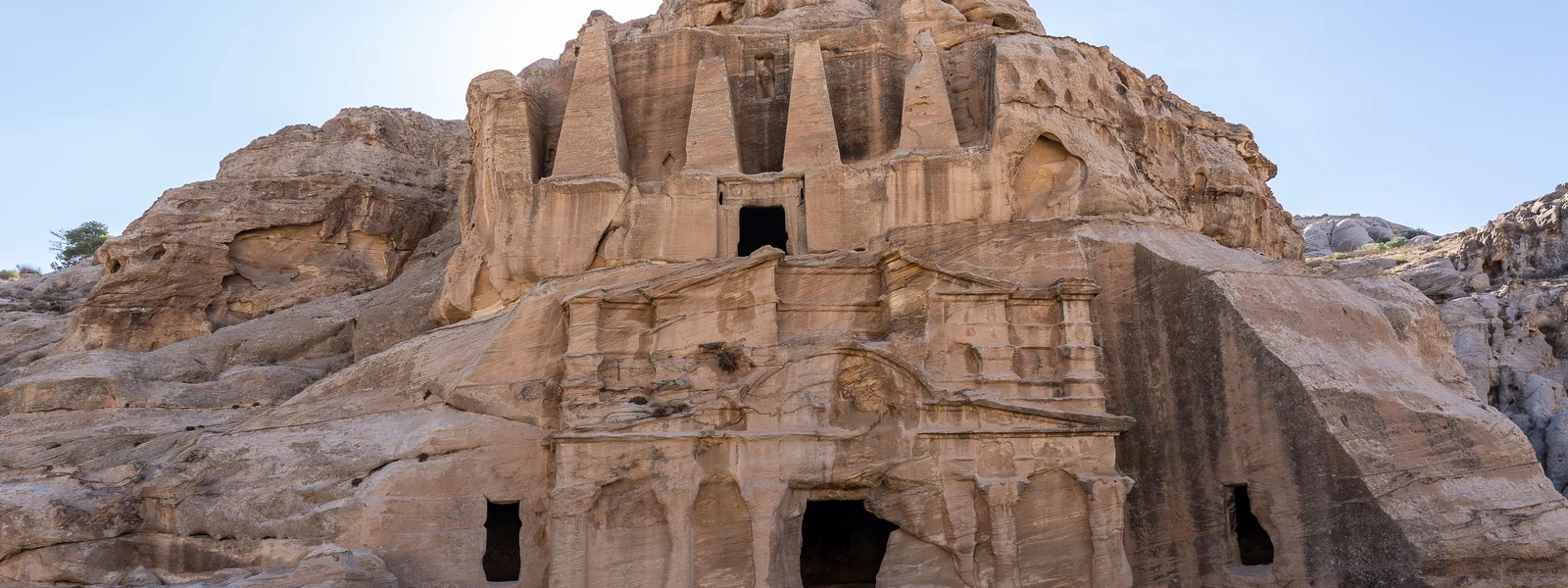
Petra eSIM Guide: Signal at the Rose-Red City 2026
Petra signal reality
Petra's extraordinary landscape -- deep canyon walls, narrow gorges, and ancient rock-cut facades -- creates a challenging environment for mobile signal. The same sandstone formations that make Petra one of the world's most photographed sites also block cellular transmission in unpredictable ways. Understanding where signal exists and where it disappears helps you prepare effectively.
The town of Wadi Musa, where most accommodation is located, has reliable 4G from all three Jordan operators. The Petra visitor center at the entrance also has good signal. Once you enter the Siq, coverage changes rapidly.
Signal point by point through Petra
| Location | Signal quality | Notes |
|---|---|---|
| Wadi Musa (town) | Good 4G | Restaurants, hotels, shops -- all well covered |
| Petra visitor center | Good 4G | Entrance area, ticket office -- functional |
| The Siq (gorge) | Weak / no signal | Canyon walls block most transmission; occasional flickering signal |
| The Treasury (Al-Khazneh) | Moderate 4G | Open area allows better signal; Zain performs best here |
| Colonnaded Street | Moderate 4G | More open terrain -- generally usable |
| Royal Tombs | Moderate 4G | Hillside location helps signal |
| Theater | Moderate 4G | Open amphitheater setting -- usable |
| High Place of Sacrifice | Good 4G | Elevated position helps signal; one of the better spots |
| Monastery trail (Al-Deir) | Weak / variable | Long hike through narrow terrain; signal fades significantly |
| The Monastery (Al-Deir) | Weak 4G / 3G | Remote location; limited coverage |
| Treasury viewpoint (above) | Good 4G | High ground, open sky -- surprisingly good signal |
What to download before entering Petra
The practical answer to Petra's patchy signal is pre-downloading everything you need before you enter the site. This takes 20-30 minutes at your hotel and eliminates any connectivity dependency inside the ancient city.
- Download Google Maps offline for the Petra area (covers Wadi Musa and the site)
- Download the Petra trail map from the official Petra Development Authority or Maps.me
- Save your hotel address and contact number in notes (not just Google Maps)
- Download the Petra guidebook or Wikipedia article offline for historical context
- Confirm your return transportation arrangement before entering -- don't rely on booking a taxi from inside the site
- Download photos of your accommodation and booking confirmation
Photography and connectivity at Petra
Petra is one of the world's most photographed sites, and connectivity for uploading and sharing is a practical concern for many travelers. The short answer: upload photos when you return to Wadi Musa town with its reliable 4G, not from inside the site. The Treasury area and High Place of Sacrifice have enough signal to share a photo or two, but don't count on consistent uploading throughout the day.
If you are using Google Photos or iCloud automatic backup, disable background sync before entering the site -- the app will attempt to upload on weak signal and drain your battery rapidly. Enable sync again at your hotel in the evening.
Petra by Night and special events
Petra by Night runs on Monday, Wednesday, and Thursday evenings. The candlelit Siq approach to the Treasury is one of Jordan's most atmospheric experiences -- and one of the most signal-challenged. The gorge at night has no meaningful mobile coverage. Plan accordingly: confirm your guide or transport arrangements before you enter, and do not rely on calling or messaging from inside the Siq during the evening event.
Planning your Petra day with connectivity in mind
A Petra visit is typically 6-8 hours of walking -- one of the most physically demanding days on a Jordan itinerary. Structuring your visit with connectivity checkpoints in mind helps you get the most from your eSIM while enjoying the site without constantly checking your phone for signal.
Morning (entrance to Treasury): Check signal and send your morning update before entering the Siq. The visitor center has the best connectivity you will have until you exit. Load any maps you need, confirm your afternoon arrangements, and switch your phone to battery-saving mode for the trail.
Mid-morning (Treasury to Colonnaded Street): Signal returns at the Treasury area. Take the photos you have been planning, upload anything time-sensitive, and check messages. The open terrain between the Treasury and Colonnaded Street has moderate 4G.
Mid-day (Royal Tombs, High Place of Sacrifice): These elevated areas have better signal than the valley floor. The High Place of Sacrifice offers some of the best signal in the site due to its open hilltop position -- a good location for a longer check-in if needed.
Monastery trail: Plan to be offline. The 800+ step climb to Al-Deir is through a rocky gorge with limited signal. Download any content you want for the hike before you start. The Monastery itself and its surrounding plateau have weak signal at best.
Jordan Pass and digital tickets at Petra
The Jordan Pass is the standard entry ticket for most visitors -- it combines the Jordan tourist visa and Petra entry into a single purchase. The Jordan Pass is purchased online and accessed via QR code on the Jordan Pass app or as a PDF. Download your Jordan Pass QR code offline before arrival, because the connectivity at the Petra ticket gate varies and you do not want to be searching for a signal while a queue builds behind you.
The process at the Petra visitor center gate: scan your QR code (online or offline, the gate scanner reads both), receive your wristband, and proceed. The system works offline on your downloaded QR -- you do not need an active internet connection at the gate to use a pre-downloaded Jordan Pass.
Wadi Musa town: the connected base for Petra visits
Wadi Musa is the town that has grown up alongside Petra -- it is where all accommodation, restaurants, and services for Petra visitors are located. The town has reliable 4G from Zain and moderate Orange Jordan coverage. This is your connectivity base for Petra visits: download everything here in the morning, and upload and communicate here in the evening when you return from the site.
ATMs in Wadi Musa work normally -- Visa and Mastercard are accepted at the main machines. Confirming your banking app functions here (over 4G) before heading into the site is sensible in case you need to transfer money or check balances. Most Wadi Musa restaurants accept credit cards, reducing cash dependency during your Petra stay.
The journey from Wadi Musa to the Petra gate is short (most accommodation is 5-15 minutes walk or a quick car ride). Signal is present throughout this journey. The moment you enter the Siq is when connectivity becomes variable -- the town itself is reliably covered.
Multi-day Petra: connectivity across days
Petra rewards multi-day visits -- the standard single-day rush through the main sites misses the Monastery, the High Place of Sacrifice, and the quieter back trails that reveal the scale of the Nabataean city. For two or three-day Petra visits, connectivity from Wadi Musa town is your base of operations each evening.
A multi-day Petra strategy: Day 1 covers the Siq, Treasury, and main valley (high tourist density areas). Day 2 covers the Monastery trail and back routes (quieter, better signal at the elevated Monastery viewpoint). Day 3 covers Little Petra (Siq al-Barid) to the north -- a smaller, less-visited Nabataean site with better signal due to its more open terrain. Each day returns to Wadi Musa for the evening connectivity reset.
Accessibility and connectivity at Petra
Petra's terrain is challenging for mobility-impaired visitors. The main visitor center and the entrance to the Siq are accessible. The Siq itself is walkable on a compacted earth and rock surface. Beyond the Treasury, the terrain becomes significantly more demanding. Horse and carriage services operate on the main trail for visitors who cannot walk the full distance -- these services can be arranged at the entrance and require no connectivity to book.
Petra's visitor services (first aid, guide services, horse carriage) are arranged in person at the site rather than digitally. Your eSIM's role at Petra is primarily navigation, photography, and communication with contacts outside the site -- not booking in-site services. The site itself operates on a physical, in-person service model that has not yet moved to app-based access.
Jordan connectivity in the Middle East context
Jordan sits at a connectivity sweet spot in the Middle East. Its network quality is significantly better than Lebanon (infrastructure degradation), comparable to Egypt in urban areas (though Egypt's rural 4G is stronger), and notably more open than the Gulf states on internet access. For travelers doing a broader Middle East circuit, Jordan represents one of the least complicated connectivity environments in the region.
The practical implications: apps you use at home work in Jordan without modification. Social media, streaming, calling apps, news sites, and international services all function normally. If you arrive from UAE with a BOTIM app and a VPN configured for WhatsApp, you can uninstall both and revert to your normal app setup from the moment you land in Amman. Jordan's open internet is not just a policy difference from the Gulf -- it is a day-to-day usability difference that simplifies your digital life throughout the trip.
| Country | VoIP freedom | 4G quality | App restrictions |
|---|---|---|---|
| Jordan | Full -- no restrictions | Good to excellent | None for travelers |
| UAE | Restricted -- WhatsApp calls blocked | Excellent (world-class 5G) | VoIP apps blocked |
| Qatar | Restricted -- VoIP blocked | Excellent (5G) | VoIP apps blocked |
| Egypt | Full | Good urban, variable rural | Some news sites blocked |
| Israel | Full | Excellent | None |
Preparing your devices before Jordan departure
A thorough pre-departure device preparation routine takes 30-45 minutes and eliminates common connectivity frustrations during your Jordan trip. The checklist below covers the essentials regardless of your specific Jordan itinerary.
- Install and activate your Jordan eSIM profile over home Wi-Fi
- Configure dual-SIM: Jordan eSIM for data, home SIM for voice and SMS
- Enable data roaming on the Jordan eSIM profile
- Download Google Maps offline for all Jordan destinations on your itinerary
- Download Maps.me offline for Jordan (trail detail backup)
- Install Careem and link a payment method
- Save all accommodation, tour operator, and driver contacts in WhatsApp
- Set Google Photos and iCloud to Wi-Fi-only backup mode
- Download any offline entertainment for signal-dead zones (Wadi Rum, Petra trail)
- Download Google Translate Arabic language pack offline
- Save your Jordan Pass QR code offline if purchased
- Note your eSIM provider's customer support contact in case of mid-trip issues
Complete this preparation at home, on a fast Wi-Fi connection, with time to resolve any issues before departure. Discovering your eSIM profile will not install, or your Google Maps offline download fails, is vastly more manageable at home than at Queen Alia International at midnight.
Get your Jordan eSIM
Arrive at Petra with working 4G from Zain Jordan's network.
FAQ
Is there mobile signal inside Petra?
Coverage is patchy and location-dependent. Wadi Musa town and the entrance have good 4G. The Siq gorge blocks most signal. The Treasury area has moderate 4G. The Monastery trail and deep site areas have weak or no signal. Download offline maps and essential information before entering.
Which network works best at Petra?
Zain Jordan generally performs best at Petra and in the surrounding area. Orange Jordan also covers the main Wadi Musa area well. Zain's wider rural infrastructure gives it an edge at the more remote parts of the site.
Can I get Wi-Fi inside Petra?
A few restaurants and the Basin Restaurant inside the site offer Wi-Fi. Signal quality varies. The visitor center at the entrance has Wi-Fi. Hotels in Wadi Musa all have Wi-Fi. Do not rely on site Wi-Fi for navigation or communication inside the ancient city.